Top 10 Tips for Optimizing Your Windows Server Hosting Experience?
In today's digital landscape, optimizing your Windows Server hosting is crucial for success. According to a report by Gartner, 75% of businesses experience at least one outage annually. This highlights the need for reliable hosting solutions. Windows Server hosting plays a vital role in ensuring uptime and efficiency.
Effective resource management is key to performance. A survey by Statista revealed that 54% of companies struggle with resource allocation on dedicated servers. Streamlining this can enhance your overall experience. Balancing performance, security, and cost is a challenge many face.
While there are numerous best practices for Windows Server hosting, not all are widely adopted. For example, only 40% of users regularly update security protocols. This oversight can lead to vulnerabilities. Reflecting on these points can help you make more informed decisions in your hosting strategy. Embracing optimization methods will protect your data and enhance your server's performance.

Understanding Windows Server Hosting Basics
Windows Server hosting can seem complex at first. Understanding the basics is crucial for an optimized experience. Windows Server allows multiple services on a single machine. It’s designed for security, reliability, and performance.
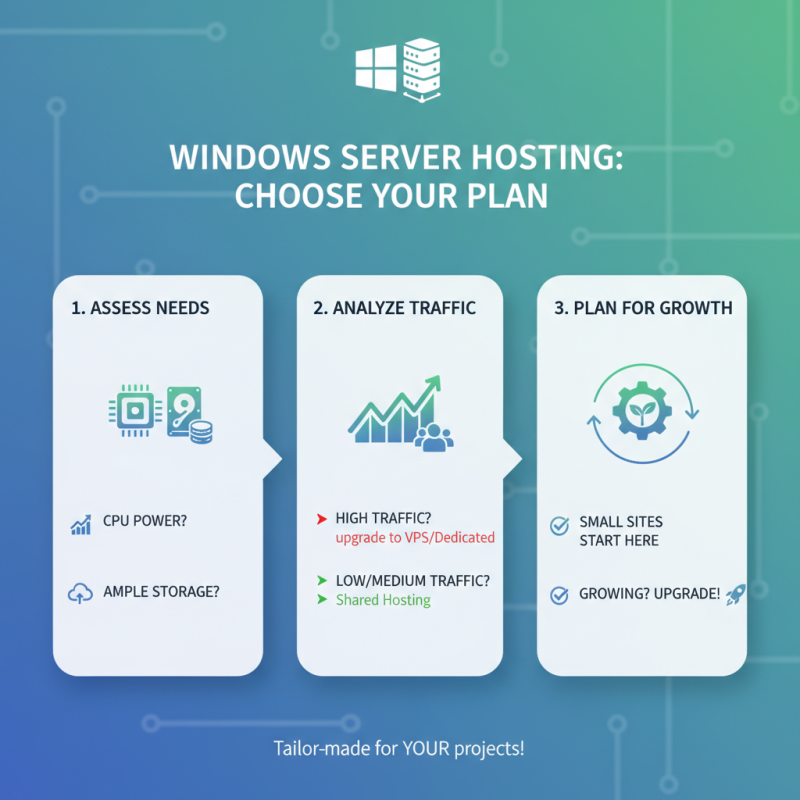
When choosing a hosting plan, consider your needs. Not all servers are created equal. Some may offer better performance for specific applications. Research the available configurations. Learn about CPU, RAM, and storage options. These specifications can greatly affect your server's efficiency.
Regular updates are vital. They ensure security and improve performance. Failing to update can lead to vulnerabilities. Additionally, monitor your server's performance. Check for any bottlenecks or issues. Address them promptly to prevent downtime. Remember to backup your data frequently. It’s a simple way to safeguard against accidents. This process requires reflection on your current protocols. Sometimes, our backup plans may need adjustments based on evolving needs.
Essential Security Practices for Windows Server Hosting
When it comes to Windows Server hosting, security is paramount. A recent study by Security Magazine highlighted that 60% of businesses suffered a security breach within the past year. This emphasizes the need for robust security practices. Implementing strong passwords is a basic yet overlooked step. Passwords should not be less than 12 characters and include numbers, symbols, and both upper and lower case letters.
Regular updates are another critical aspect. Cyber attackers often exploit outdated systems. According to a report by the Cybersecurity & Infrastructure Security Agency, 93% of breaches could have been avoided with timely patching. Ignoring updates can leave your server vulnerable. Frequent monitoring is key. Setting up alerts for suspicious activity can prevent potential breaches before they escalate.
Additionally, consider using firewalls and antivirus software. Yet, many small businesses underestimate their importance. Maintaining a backup strategy is also crucial. The Data Loss Prevention report states that 30% of companies that lose data go out of business within a year. Relying solely on cloud services without local backups can be risky. Implementing these essential practices can help enhance your Windows Server hosting security and reduce vulnerabilities significantly.
Top 10 Tips for Optimizing Your Windows Server Hosting Experience
| Tip Number |
Tip Description |
Importance Level |
| 1 |
Regularly update your Windows Server to the latest version. |
High |
| 2 |
Implement a strong password policy for user accounts. |
High |
| 3 |
Utilize Windows Firewall and configure security settings. |
High |
| 4 |
Regularly back up your data and server configuration. |
Critical |
| 5 |
Monitor resource usage and optimize performance settings. |
Medium |
| 6 |
Enable User Account Control (UAC). |
Medium |
| 7 |
Configure Remote Desktop settings securely. |
High |
| 8 |
Disable unnecessary services and features. |
Medium |
| 9 |
Implement antivirus solutions and regularly scan. |
High |
| 10 |
Educate users about phishing and safe internet practices. |
Medium |
Monitoring and Maintenance: Key to Longevity and Performance
Monitoring your Windows Server is paramount for performance and longevity. According to a recent industry report, routine monitoring can enhance server availability by up to 99.99%. This means less downtime and more reliability for your applications. Regular checks can reveal potential issues before they escalate. Without monitoring, problems may linger unnoticed, leading to costly outages.
Maintenance routines should include updates, patch management, and backups. A study indicated that 30% of businesses experience data loss due to unforeseen system failures. Implementing a proactive maintenance schedule can significantly mitigate this risk. Remember, even the best servers require care. Overlooking basic tasks can lead to inefficiencies. Missing an update might seem trivial until it causes vulnerabilities.
Additionally, consider using automated tools for monitoring and maintenance. They can provide real-time insights into system health. However, over-reliance on automation poses risks. Human oversight is critical for interpreting data and making informed decisions. Regular assessments ensure your system adapts to evolving demands without falling behind. A consistent approach to monitoring and maintenance paves the way for enhanced performance.
Top 10 Tips for Optimizing Your Windows Server Hosting Experience
Utilizing Performance Enhancements and Backups
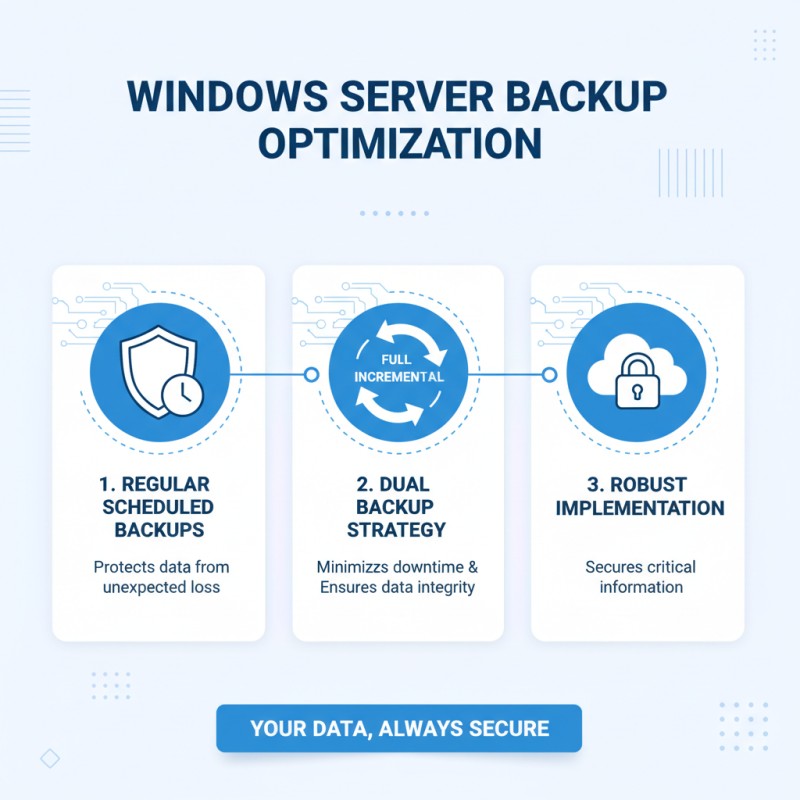
When it comes to optimizing your Windows Server hosting experience, backups play a crucial role. Regularly scheduled backups protect your data from unexpected loss. Utilize both full and incremental backups to minimize downtime and maintain data integrity. Implementing a robust backup strategy ensures that your critical information is secure, no matter what happens.
Another tip involves enhancing performance through resource management. Monitor your server's CPU and memory usage closely. This can help identify bottlenecks that slow down operations. Sometimes, simply reallocating resources can lead to noticeable improvements. Don't forget to check your applications and services for any that may be consuming unnecessary resources.
Lastly, consider using performance monitoring tools. These tools can provide insights into your system's health and efficiency. However, remember that not all tools work perfectly for every server. It's essential to evaluate what works best for your specific setup. Fine-tuning these aspects can greatly enhance your Windows Server experience and ensure smooth operations.

 Overwhelmed? We're here to help.