Overwhelmed? We're here to help.

10 Tips for Choosing Dedicated Servers for Business?

Choosing dedicated servers for business is not simply a matter of selecting the largest machine. It is a decision about control, stability, security, and future workload demands. A busy online store, for example, may need fast processors, predictable network performance, and storage that handles thousands of daily transactions. A growing agency may value flexible backups and simple remote management more than maximum power.

Werner Vogels, Amazon’s Chief Technology Officer and a respected cloud infrastructure expert, has often stated, “Everything fails, all the time.” That warning matters when evaluating dedicated servers. Reliable hardware still needs monitoring, redundant backups, tested recovery plans, and qualified technical support. A server can have impressive specifications, yet perform poorly if its data center suffers congestion or its provider responds slowly at midnight. Small details become expensive problems.

This guide presents ten practical tips for choosing dedicated servers for business. It examines processor capacity, memory, storage type, bandwidth, uptime commitments, security controls, scalability, technical support, pricing, and provider reputation. The cheapest plan may not be the most economical choice. Nor is the most powerful server automatically the best fit. An honest evaluation should admit uncertainty. Traffic can grow faster than expected. A backup may look healthy until restoration is attempted. Some recommendations will require revision after real usage data appears. That is not failure; it is responsible planning. Businesses should compare measurable performance, clear service terms, and realistic operating needs before signing a contract.

10 Tips for Choosing Dedicated Servers for Business?

Define Business Workload and Dedicated Server Requirements

Choosing a dedicated server starts with the workload, not the processor list. Map daily users, peak requests, database size, storage growth, and traffic patterns. A retail platform may need fast NVMe storage for checkout queries, while video processing needs sustained CPU or GPU capacity. Measure real usage for at least two weeks. Guessing from average traffic can create painful bottlenecks.

The 2024 Global Data Center Survey from Uptime Institute reported that more than half of respondents experienced an outage within three years. Therefore, requirements should include redundant power, remote management, backup links, and tested recovery procedures. Security also matters. The 2024 Cost of a Data Breach Report placed the global average breach cost at 4.88 million US dollars. Dedicated capacity does not remove risk. Define patching duties, access controls, encryption needs, and audit logs before selecting hardware.

Leave room for growth, but do not buy unused capacity blindly. A practical baseline might reserve 30% CPU and memory headroom during normal peaks. That figure should be validated against your own workload. I have seen teams overestimate storage and underestimate database I/O. It happens. Compare measured latency, requests per second, and recovery time objectives with the server specification. Document the assumptions, then review them monthly as traffic, software, and compliance requirements change.

Evaluate Processor, Memory, Storage, and Network Specifications

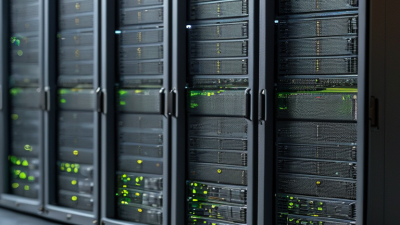
Processor, memory, storage, and network specifications determine whether a dedicated server feels responsive under pressure. Start with workload evidence, not attractive clock speeds. Web applications often need strong single-thread performance, while analytics and virtualization require more cores. Run a representative benchmark for several hours. Short tests can mislead.

Memory capacity matters when databases, containers, and caching compete. Use error-correcting code memory for workloads where silent corruption is unacceptable. I still see teams buying excessive RAM while ignoring memory bandwidth. That is an expensive mistake. The International Data Corporation’s 2024 infrastructure forecast highlights continuing growth in data-intensive workloads, making upgrade headroom practical rather than fashionable.

Storage should be judged by latency, sustained input/output operations, endurance, and recovery design. Solid-state storage can reduce queue delays, but a fast drive cannot repair poor database tuning. Test random reads and writes with production-like files. Use redundant arrays when availability matters, then verify restoration speed. Uptime Institute’s Global Data Center Survey 2023 reported that 60% of significant outages involved total costs below 100,000 dollars, but larger failures remained financially serious.

Network evaluation needs more than a one-gigabit port label. Check committed bandwidth, burst limits, latency to user regions, packet loss, and private connectivity. Cisco’s Annual Internet Report estimated 5.3 billion internet users by 2023, increasing pressure on reliable edge performance. Measure p95 latency during busy periods. Peak throughput alone is incomplete. A modest processor with balanced memory, storage, and networking may outperform a powerful server with a narrow bottleneck.

Compare Security, Compliance, and Data Protection Features

Choosing a dedicated server requires more than comparing processors and monthly prices. Check physical access controls, visitor logs, camera coverage, and separated cages. Confirm encryption for stored data and network traffic. Ask whether keys can remain under your control. Require multi-factor administration and tightly limited support access. Review backup frequency, geographic separation, and restoration testing. A backup that cannot be restored is only a comforting file.

4.88 million dollars

The average breach cost recorded in the 2024 Cost of a Data Breach Report.

258 days

The average lifecycle also reported in the 2024 Cost of a Data Breach Report.

The 2024 Cost of a Data Breach Report recorded an average breach cost of 4.88 million dollars. It also reported a 258-day average lifecycle. These figures make monitoring, patching, and incident response practical buying criteria. Request sample audit logs, alert thresholds, and escalation times. The 2024 Data Breach Investigations Report found that the human element appeared in 68% of breaches. Staff training and approval controls therefore matter, even with a well-configured server.

Map the hosting environment against your required frameworks, such as ISO 27001, SOC 2, or applicable privacy rules. Ask for current certificates, audit scope, and exception reports, not just compliance badges. Confirm data residency, retention, secure deletion, and documented incident notification procedures. Check whether the contract identifies responsibilities clearly. I once treated compliance paperwork as proof of security; that assumption was too generous. Independent testing, transparent evidence, and tested recovery plans provide stronger assurance. No setup is perfect.

Assess Provider Reliability, Support, Scalability, and Service Levels

10 Tips for Choosing Dedicated Servers for Business

Tip 1: Assess reliability beyond an advertised uptime percentage. Ask where the server is hosted, how power is protected, and whether network paths have redundancy. Request recent incident records, maintenance notices, and recovery procedures. In real deployments, small details matter. A second power feed can prevent a costly outage. I once trusted a perfect uptime claim without checking maintenance history. That assumption was expensive.

Tip 2: Test support before signing a contract. Contact the technical team with specific questions about hardware failures, operating system issues, and emergency access. Measure response times and examine the escalation process. Support should be available around the clock, not only during office hours. Ask whether engineers can replace failed disks quickly. Vague promises are warning signs. Human expertise still matters.

Tip 3: Review scalability and service levels together. Confirm whether memory, storage, processors, and bandwidth can be upgraded without a long migration. Check lead times for new equipment and the provider’s capacity planning method. Your business may grow unevenly. Traffic can double after one successful campaign. Service-level agreements should define uptime, response targets, maintenance windows, and remedies for missed commitments. Read every exception carefully. A flexible plan may still hide strict limits. Personally, I would request a written upgrade scenario and test the provider’s answer before deployment.

Calculate Total Costs and Select the Most Suitable Server Plan

Choosing a dedicated server requires more than comparing monthly prices. Calculate the full cost over twelve months. Include setup fees, storage upgrades, backups, bandwidth, operating system licenses, monitoring, and technical support. Add migration labor and possible downtime. A plan costing $180 monthly may exceed $3,000 annually after these extras. I recommend using a spreadsheet with conservative traffic estimates and a 15% contingency.

Tip 1: Separate essential resources from attractive extras. Review CPU cores, memory, disk type, network speed, and backup retention. More capacity is not always better. Unused memory still increases your bill. In one deployment, we selected a cheaper configuration and upgraded after measured growth. That worked, but the initial estimate was too optimistic.

Tip 2: Match the plan to workload patterns. A database may need faster storage, while file delivery may need more bandwidth. Ask for clear limits, response times, replacement procedures, and cancellation terms. Tip 3: Price support realistically. Weekend assistance, managed security, and emergency recovery can change the final cost significantly. Request a written quote with every recurring and one-time charge. Then compare plans by cost per reliable month, not by headline price. Recheck the calculation after one billing cycle. Mistakes often appear there.

10 Tips for Choosing Dedicated Servers for Business? – Calculate Total Costs and Select the Most Suitable Server Plan

Tip Selection Criterion Recommended Baseline Entry Plan Growth Plan High-Performance Plan Cost or Risk Check
1 Estimate workload size Match CPU, memory, and storage to current traffic plus 30%–50% headroom. 4 cores
16 GB RAM
8 cores
32 GB RAM
16 cores
64 GB RAM
Avoid paying for unused capacity while preserving room for peak demand.
2 Choose the right storage type Use SSD storage for databases, applications, and frequent file access. 480 GB SSD 960 GB SSD 1.92 TB SSD Consider mirrored storage when service continuity is more important than maximum usable capacity.
3 Plan for bandwidth usage Review monthly transfer, port speed, and overage charges. 10 TB transfer
1 Gbps port
20 TB transfer
1 Gbps port
30 TB transfer
10 Gbps port
A 1 Gbps port can provide up to 125 MB/s theoretical throughput, but actual performance varies by network conditions.
4 Evaluate reliability requirements Select redundant power, storage protection, and documented maintenance procedures. Basic redundancy Mirrored storage Hot-spare options Hardware redundancy reduces single points of failure but does not replace backups.
5 Check backup coverage Define backup frequency, retention, restore testing, and off-site storage. Daily backup
7-day retention
Daily backup
30-day retention
Hourly backup
30-day retention
A backup is only useful if restoration is periodically tested and recovery objectives are defined.
6 Compare management support Choose self-managed, managed, or fully monitored service based on internal expertise. Self-managed Monitored Managed support Lower monthly fees may create higher internal labor costs and longer incident response times.
7 Review security controls Require firewall rules, patching, access control, encryption, and logging. Basic firewall Firewall + monitoring Advanced security monitoring Security services should be evaluated separately from hardware specifications.
8 Confirm scalability options Verify upgrade paths for RAM, storage, CPU generation, and additional servers. Limited upgrades Moderate upgrades High expansion capacity A scalable plan can delay migration costs when traffic or data volume increases.
9 Calculate the full monthly cost Include server rental, backup, monitoring, licenses, IP addresses, and traffic charges. $207/month $357/month $647/month Illustrative totals include server, backup, monitoring, and operating-system license costs.
10 Compare three-year total cost of ownership Use recurring fees plus setup charges to compare plans on the same time horizon. $7,543 $13,052 $23,442 Formula: monthly service cost × 36 months + one-time setup fee.
Cost assumptions: Entry Plan = $149 server + $20 backup + $25 monitoring + $13 operating-system license per month, plus a $100 setup fee. Growth Plan = $249 server + $35 backup + $45 monitoring + $28 operating-system license per month, plus a $200 setup fee. High-Performance Plan = $449 server + $60 backup + $85 monitoring + $53 operating-system license per month, plus a $150 setup fee. Figures are planning estimates in USD and exclude taxes, application licenses, labor, and usage-based overages.
Have questions? We'll help answer all of them. CONTACT SUPPORT
CHAT WITH SALES