Overwhelmed? We're here to help.

How to Get a Free Virtual Server in 2026?

A free virtual server can seem like a hidden shortcut for websites, testing, learning, and small automation projects. In 2026, several cloud providers may offer free tiers, limited credits, or temporary trials. However, “free” rarely means unlimited. Usage caps, regional restrictions, payment verification, and expiration dates can change the real cost.

This guide explains how to find a virtual server free option without relying on vague advertisements. It examines reputable cloud platforms, eligibility rules, processor limits, storage allowances, network quotas, and renewal conditions. You will see practical details, such as choosing a small Linux instance, creating a strong administrator account, enabling firewall rules, and checking usage alerts before launching applications. These steps reflect common deployment experience, not just promotional claims.

Read the terms carefully.

A free server may still require a bank card. Some providers suspend inactive accounts or charge for extra traffic. Others restrict commercial workloads, cryptocurrency mining, or high-volume services. Following provider policies and local laws is essential. My own early assumption was simple: the cheapest server would be easiest. It was not. Documentation quality, backup options, support access, and predictable limits mattered more than a zero-dollar headline.

The goal is not to promise permanent free hosting. It is to help you make a careful, informed choice. By comparing current offers and monitoring every resource, you can reduce unexpected charges and build a safer testing environment. Availability changes quickly, so verify each provider’s official terms before registering.
How to Get a Free Virtual Server in 2026?

Define What a Free Virtual Server Includes in 2026

How to Get a Free Virtual Server in 2026?

A free virtual server should mean more than a dashboard and a temporary login. Define the package clearly. It normally includes a small number of virtual CPU cores, limited memory, fixed storage, and monthly network traffic. Some plans also provide IPv6, basic monitoring, automated backups, or a control panel. These features are not guaranteed. Read the limits.

The 2024 State of the Cloud Report found that 89% of surveyed organizations use a multi-cloud strategy. This shows why portability matters, even for small projects. A useful free server should allow standard operating-system images, secure key-based access, and data export. It should also disclose CPU throttling, idle-time suspension, port restrictions, and renewal conditions. “Free” may mean twelve months, not forever.

Look for clear quotas. A practical baseline might include one virtual CPU, 512 MB to 2 GB of memory, 10–30 GB of storage, and limited outbound traffic. That supports a personal website, test environment, or lightweight monitoring tool. It will not reliably support a busy database. A 2024 public-cloud spending forecast estimated global spending would reach 675.4 billion dollars, showing how quickly cloud usage expands. Free capacity remains tightly controlled.

Reliability is easy to overlook. Check backup frequency, support response, recovery options, and service-level exclusions. A free plan may offer no uptime guarantee. I would test it with noncritical data first. The dashboard may show available resources, but real performance can fluctuate during busy periods. That gap deserves honest scrutiny.

Compare Free Virtual Server Providers and Their Eligibility Rules

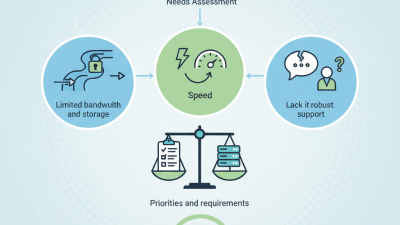
Free virtual server offers in 2026 differ less by advertised resources than by eligibility rules. Educational providers may require a verified school email and restrict use to coursework. Community programs can request a public project, technical portfolio, or monthly activity. Promotional trials often require payment verification, even when no immediate charge appears.

Compare each provider’s renewal policy, storage type, network limits, and account requirements. Educational plans usually offer modest memory but clearer support for learning projects.

Community-funded services may provide longer access, but approval can depend on project quality and available capacity. Trial-based services often deliver stronger hardware, yet their short periods and automatic conversion rules need careful checking.

Regional programs may also limit applications by residence or local identity documents. Before applying, record the promised memory, processor time, bandwidth, and server location. Read whether inactivity causes suspension after seven, thirty, or ninety days.

A free server with shared storage may feel slow when installing packages or serving a small website. That detail matters. Keep backups outside the server, because free accounts commonly have limited recovery options.

Eligibility pages can change without notice, and I would not treat a successful application as permanent access. Some rules remain unclear, which deserves a support ticket before uploading important files.

Create an Account and Select the Right Server Configuration

How to Get a Free Virtual Server in 2026?

Creating an account is easy, but choosing the right configuration requires careful attention.

The 2024 State of Cloud Report found that 89% of organizations use a multi-cloud strategy.

This suggests flexibility matters, even for a small personal server. Select a nearby data-center region to reduce latency. Then compare virtual CPU cores, memory, storage, bandwidth, and operating-system options.

A basic Linux server with one virtual core, 1–2 GB of memory, and 20 GB of storage can support testing, small websites, or lightweight automation. Start smaller.

Read the free-plan limits before confirming payment details. Check renewal prices, monthly traffic caps, backup charges, and whether an attached public address costs extra.

The Uptime Institute Global Data Center Survey shows that outages remain a serious operational concern.

Create a strong password, use an SSH key, and enable a basic firewall immediately. Do not expose unused ports. Enable usage alerts if available.

A practical mistake is choosing the largest free configuration without checking its limits.

I made that assumption once, and the server became difficult to manage. A smaller instance may perform better when configured carefully.

Test memory usage, disk space, and response time for several days. Keep a simple record of these results.

Free access can change. Review the account terms regularly.

Deploy, Secure, and Connect to Your Virtual Server

How to Get a Free Virtual Server in 2026?

A free virtual server usually comes through an introductory cloud allowance or a limited community program. Check the monthly hours, storage, memory, and network limits before deployment. “Free” may exclude backups, extra traffic, or reserved addresses. Choose a small Linux instance for a simple website, testing project, or private development environment. Record the server region and expiration date. That small note can prevent an unexpected charge.

Deploy with a current operating system image and create a non-root administrator account. Use an SSH key instead of a password, then disable direct root login. Keep the firewall closed except for required ports, such as secure web traffic and SSH from your trusted address. Enable automatic security updates, but review them regularly. Updates can occasionally break a service. I learned this after a routine package change stopped a test application overnight.

Connect through an encrypted terminal session and verify the server fingerprint before accepting it. Store private keys on an encrypted device, not in a shared folder. Add multi-factor protection to the management account and configure billing alerts, even when the balance appears free. Monitor CPU, memory, disk space, and failed login attempts each week. Keep a small backup of configuration files. Free infrastructure is useful, but it still demands ownership. A forgotten instance can become a security problem.

Monitor Usage Limits and Maintain the Server Responsibly

A free virtual server is useful only when its limits remain visible. Before deployment, record vCPU, memory, storage, bandwidth, and renewal rules. Create a simple daily usage log. It can show a quiet leak early. The 2024 State of the Cloud Report identified managing cloud spend as a major challenge for 84% of surveyed organizations. Even free capacity needs financial-style discipline. Track idle processes, outbound traffic, and sudden storage growth.

Set alerts below the provider’s hard limits, not at them. A 70% warning leaves room for traffic spikes and diagnostic work. Check CPU and memory charts weekly, then remove unused packages and stopped instances. Keep logs rotating; a full disk can silently stop services. The 2024 Data Breach Investigations Report attributed 68% of breaches to a human element, including error and misuse. Use separate administrator accounts, strong authentication, limited permissions, and automatic security updates. Never expose a management port without a clear reason.

Responsible maintenance also protects shared infrastructure. Schedule backups, test one restore, and document the result. Watch bandwidth quotas closely. Unexpected scans or open services can consume them overnight. I would keep a small safety margin, although this reduces available capacity. That trade-off is easy to ignore. Review the server monthly and delete experiments you no longer understand. If an alert arrives, investigate before restarting blindly. Record what changed, even when the fix seems obvious.

How to Get a Free Virtual Server in 2026? - Monitor Usage Limits and Maintain the Server Responsibly

Monitoring Dimension Practical Free-Tier Planning Range Responsible Operating Target How to Monitor Recommended Action
vCPU Usage 1–2 virtual CPU cores are common for small free instances. Keep average utilization below 60%; investigate sustained usage above 80%. Review 5-minute load averages and CPU utilization with system tools such as top or vmstat. Stop unused services, schedule intensive jobs, and optimize inefficient processes.
Memory Approximately 512 MB–4 GB RAM, depending on the offer and eligibility rules. Maintain at least 15–20% available memory during normal operation. Track used, cached, available, and swap memory using free -h or equivalent metrics. Remove unnecessary applications, limit worker processes, and investigate repeated out-of-memory events.
Storage Capacity About 10–50 GB of virtual disk space is suitable for lightweight projects. Keep usage below 80%; reserve space for logs, updates, and temporary files. Check filesystem usage with df -h and identify large directories with disk-usage tools. Rotate logs, delete caches safely, remove abandoned files, and expand or migrate before capacity is exhausted.
Outbound Data Transfer Free allocations commonly range from a few gigabytes to several hundred gigabytes per month; limits vary significantly. Use no more than 70–80% of the published monthly allowance. Record daily egress totals and calculate the projected month-end consumption. Compress responses, cache static files, restrict large downloads, and investigate unexpected traffic spikes.
Network Connections Small instances are better suited to low or moderate concurrent connections. Set application limits below the server's available file descriptors and memory capacity. Monitor active sockets, connection errors, request latency, and file-descriptor usage. Use connection timeouts, rate limits, and a reverse proxy where appropriate.
Availability Free services may include suspension, reclaim, restart, or inactivity policies. Treat the server as non-critical unless a documented service agreement states otherwise. Use an external health check for HTTP, SSH, DNS, and other essential endpoints. Keep deployment files and recovery instructions outside the server.
Operating-System Updates Security updates are normally required throughout the server's lifetime. Apply security patches promptly and reboot when a kernel or critical library requires it. Check pending updates, package versions, reboot requirements, and update logs. Enable unattended security updates where suitable and test major upgrades before deployment.
Backups Free instances may not include reliable backups or recovery guarantees. Maintain at least one independent copy of important data and test restoration regularly. Record backup completion, size, age, integrity checks, and restoration results. Store backups separately, encrypt sensitive data, and follow a retention schedule.
Security Exposure Public servers are continuously exposed to automated scans and login attempts. Expose only required ports and use key-based administration whenever supported. Review authentication logs, firewall events, failed logins, and unusual process activity. Disable unused services, restrict administrative access, apply least privilege, and enable a firewall.
Cost and Eligibility Free access may depend on region, account verification, quotas, trial terms, or periodic availability. Confirm current limits, expiration rules, acceptable-use requirements, and cancellation conditions before deployment. Maintain a monthly record of quotas, usage, account notices, and policy changes. Avoid critical workloads, prohibited activities, cryptocurrency mining, abusive traffic, and unauthorized resale.

Planning note: Free virtual-server resources, quotas, renewal rules, and suspension policies vary by provider and region. Always verify the current terms before relying on a free instance.

Have questions? We'll help answer all of them. CONTACT SUPPORT
CHAT WITH SALES